
Everything Your Clinic Needs to Automate Reception
Propelence helps clinics automate booking, reminders, missed appointment follow-up, and patient messaging with an AI receptionist designed for healthcare workflows.
What can Propelence automate for a clinic?
Propelence can automate patient booking, appointment reminders, no-show follow-up, and multi-channel patient messaging, while supporting your front-desk team instead of replacing it.
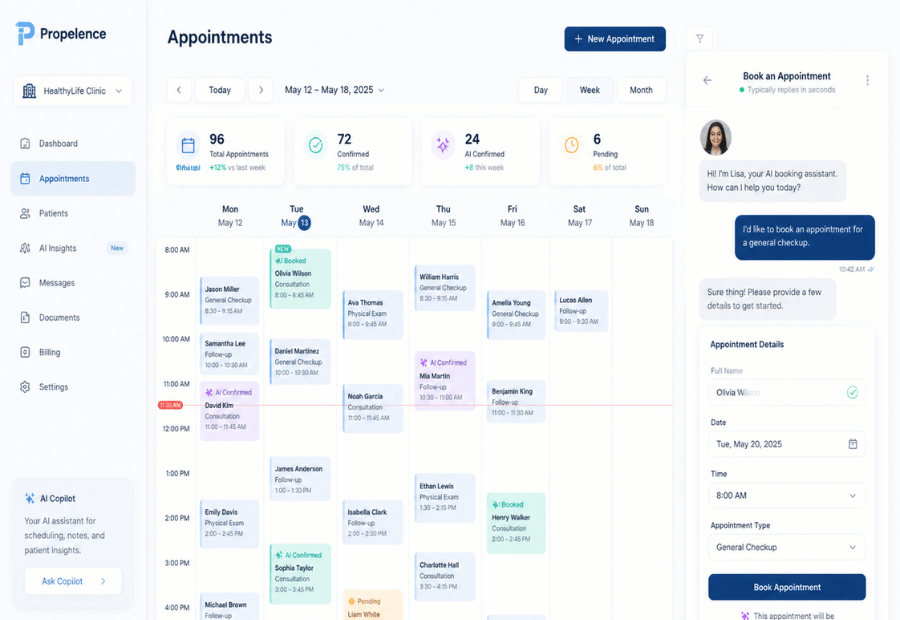
How does Propelence automate appointment booking?
Propelence automates appointment booking by instantly responding to patient requests, capturing details, and helping clinics fill available time slots faster.
Instead of making patients wait on hold or call back later, Propelence handles common booking requests in real time. That means fewer missed opportunities and a smoother experience for both patients and staff.
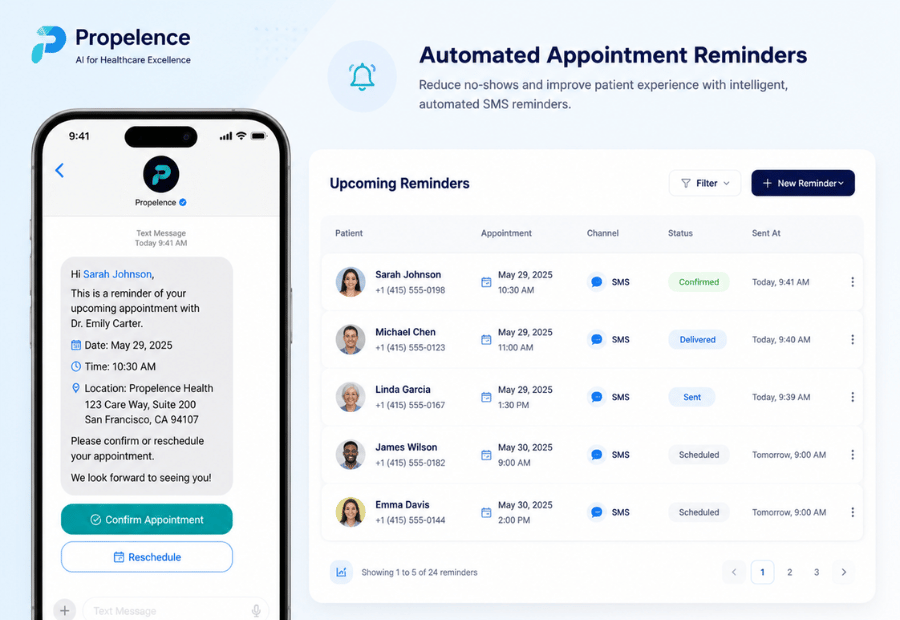
How do smart reminders reduce missed appointments?
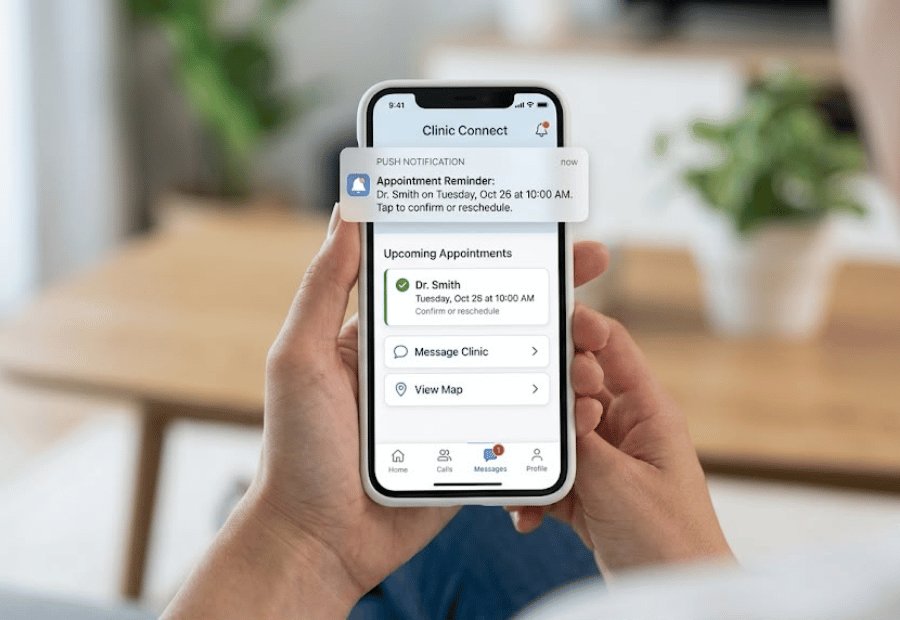
Smart reminders reduce missed appointments by sending timely confirmations, reminders, and pre-visit nudges before the scheduled visit.
Clinics often lose revenue and efficiency when patients forget or delay confirming appointments. Propelence keeps communication active before the visit, which helps patients show up prepared and on time.
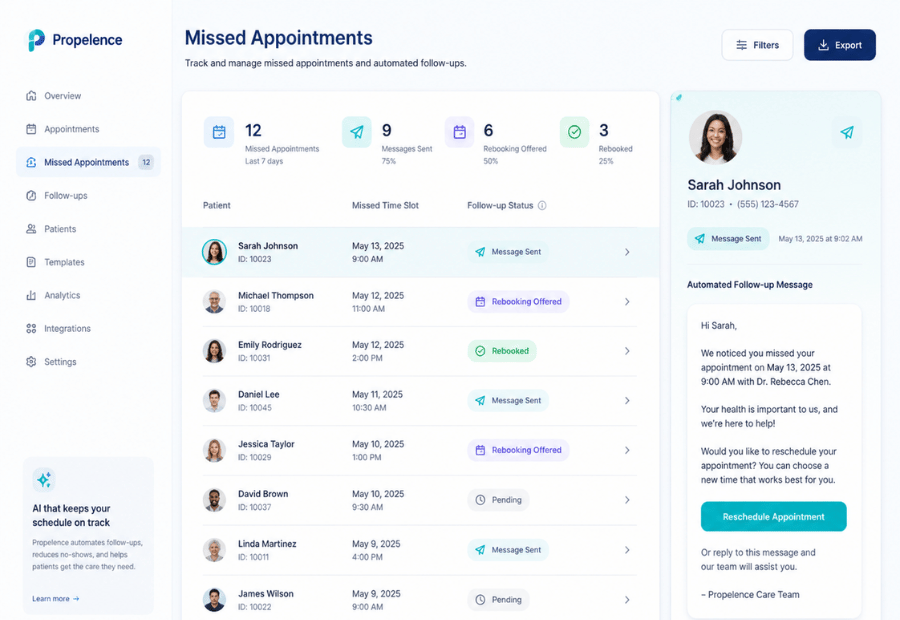
How does Propelence handle no-show follow-up?
Propelence handles no-show follow-up by sending automatic check-ins and rebooking prompts after missed appointments, helping clinics recover lost visits.
Instead of leaving missed appointments unresolved, Propelence helps bring patients back into the schedule quickly. This turns a lost slot into a new opportunity without creating extra admin work.
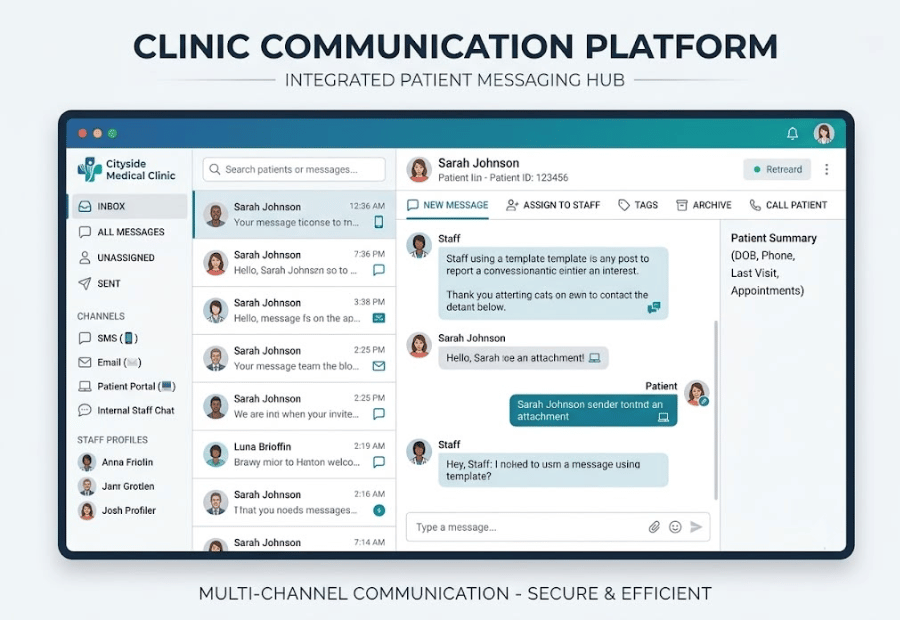
Why is multi-channel patient messaging important?
Multi-channel patient messaging matters because clinics need to respond wherever patients are most comfortable, without creating fragmented workflows.
Propelence helps centralize patient communication so questions, booking requests, reminders, and follow-ups feel consistent. That creates a more reliable clinic experience and helps your team stay organized.

See How Propelence Fits Into Your Clinic Workflow
Book a free demo to explore how Propelence can automate patient communication, reduce no-shows, and support your front-desk team.
Step 1: Your Details
Tell us a bit about your clinic before selecting a time slot.
Step 2: Pick a Time
Select a 30-minute slot for your live platform tour.